Never miss another birthday.
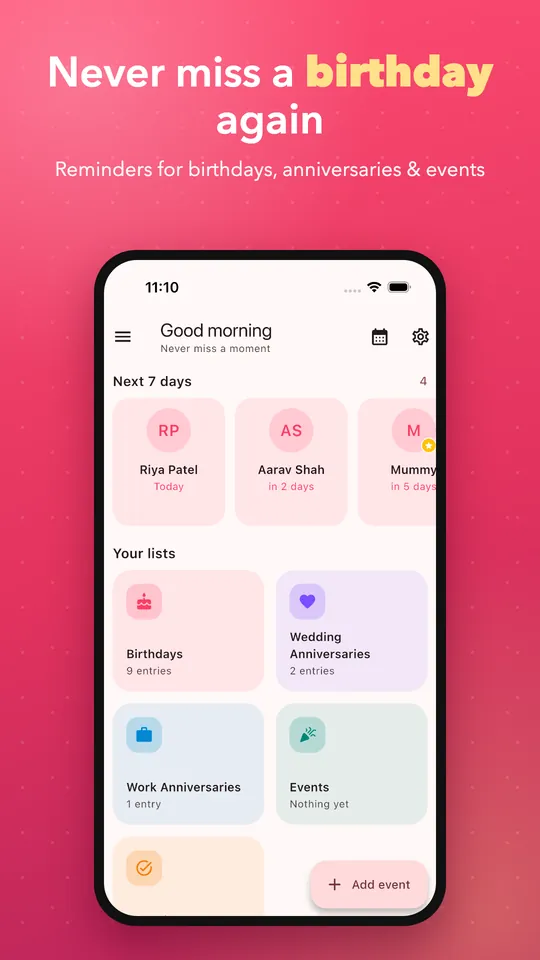
Birthday Reminder & Calendar keeps every birthday, anniversary and important date in one place — with smart notifications, countdowns, a monthly calendar and greeting wishes. No account. No login. Works offline.
A clear, calm view of everything coming up
Every birthday, anniversary and custom event ranked by how soon it's coming, so nothing gets buried.
Advance notice on your own schedule means you have time to plan a call, a gift or a card.
Open a reminder and share a birthday or anniversary greeting straight from the notification.
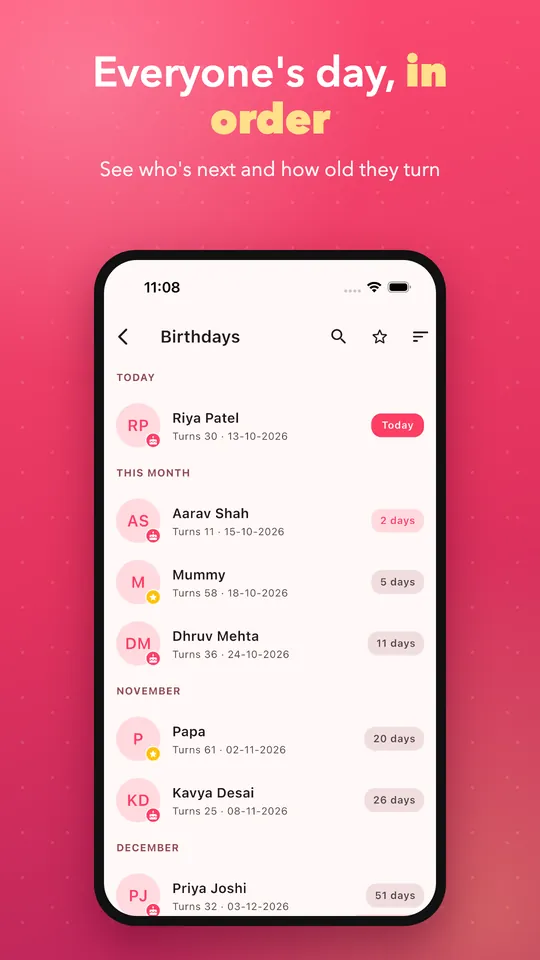
Everyone's day, in order
See who is next, how old they turn and how many days are left — then send a wish without leaving the app.
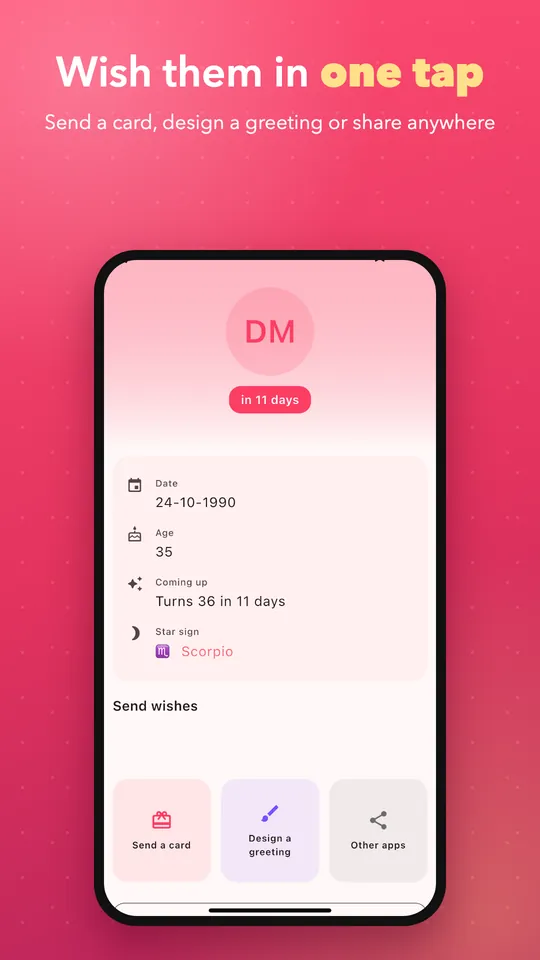
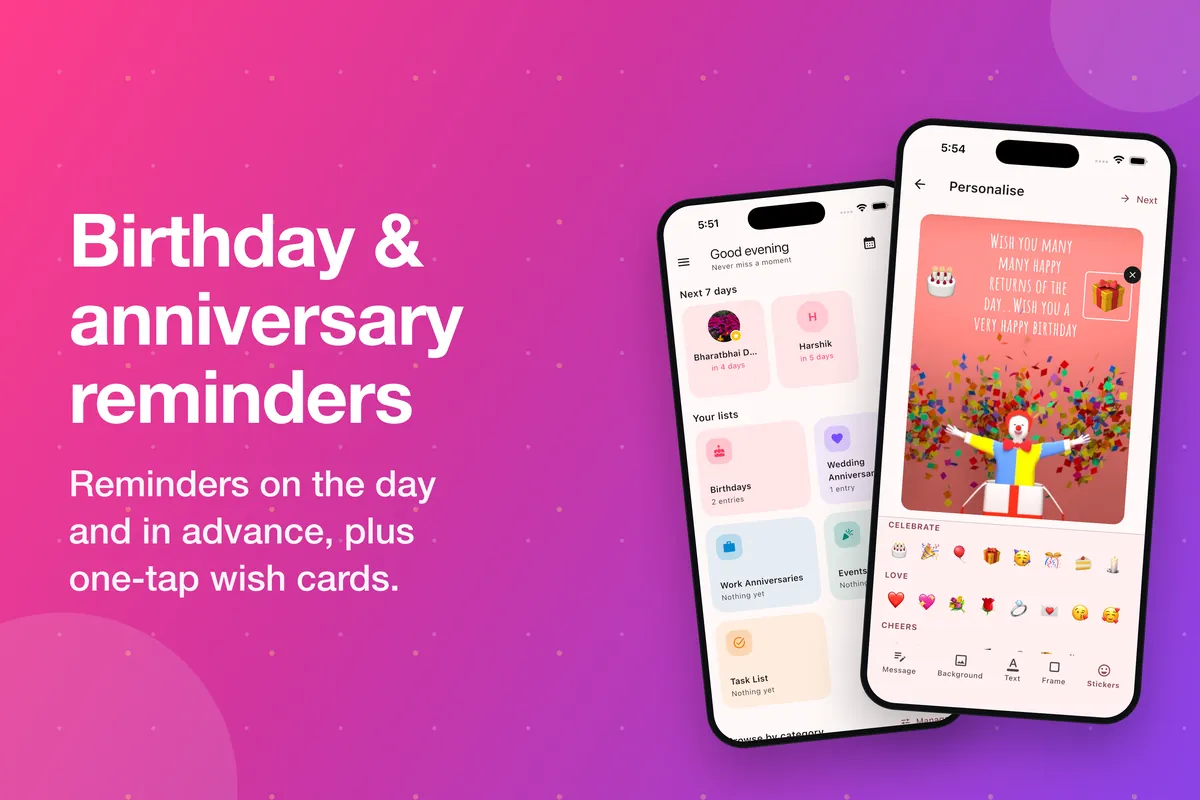
Make the wish as special as the day
Pick a card, add your own message and send it on WhatsApp or any app — right from the reminder.
- Ready-made birthday and anniversary cards
- Add text, stickers and frames
- Share anywhere in one tap
Everything you need to remember what matters
One app for every date worth celebrating — organised, private, and always on time.
Birthday reminders
Track birthdays for family, friends and colleagues. Reminders repeat automatically every year, with countdowns and flexible schedules.
Anniversary tracking
Wedding anniversaries, relationship milestones and family occasions, all with recurring yearly reminders and countdown support.
Event management
Create custom events beyond birthdays — appointments, renewals or personal occasions — and organise them by category.
Smart notifications
Set advance and forewarn alerts on custom schedules, so an important date never arrives without warning.
Calendar view
A monthly calendar and event timeline for quick navigation — see every upcoming date at a glance.
Countdown tracker
Know exactly how many days remain until every birthday, anniversary or event on your list.
Wishes & greeting cards
Send birthday and anniversary wishes and share greeting cards directly from the app in a couple of taps.
Privacy first
No account or login required. Your dates stay on your device, and the app works fully offline for core features.
Made for every occasion
Set it once, remember it every year
Add a date
Enter a birthday, anniversary or event once. The app saves it as a recurring yearly reminder automatically.
Set your reminder
Choose when you're notified — the day of, a few days before, or on a custom schedule you define.
Never forget
Get a timely alert, check the countdown, and send a wish or greeting card the moment the day arrives.
Built to keep your dates private
- No account registration or login required to use the app
- Reminder data stays on your device, not on a remote server
- Published data safety disclosure states no data is shared with third parties
- Data is encrypted in transit
- Core reminder, calendar and countdown features work fully offline
App details
- Category
- Productivity
- Platforms
- Android, iOS & iPadOS
- Compatibility
- iOS/iPadOS 15.0+
- Size
- ~39.2 MB
- Price
- Free
- Rating
- 3.2 / 5
Questions people ask before downloading
Is Birthday Reminder & Calendar free to use?
Yes. The app is free to download on both Google Play and the Apple App Store. The iOS version shows ads; there's no subscription required to use core features.
Do I need to create an account?
No. There's no registration or login screen — install the app and start adding birthdays and events right away.
Does it work without an internet connection?
Yes. Because your data is stored locally, adding dates, setting reminders, viewing the calendar and tracking countdowns all work fully offline.
Which devices and platforms are supported?
Android phones and tablets via Google Play, plus iPhone and iPad via the App Store, which requires iOS or iPadOS 15.0 or later.
Is my personal data safe?
According to the developer's published Play Store data safety disclosure, no data is shared with third parties, and data is encrypted in transit.
How long has this app been available?
The app has been listed on the app stores since 2016 and continues to receive updates, with the most recent update published in August 2026.
Simple by design, not by accident
No login
Open the app and add your first date immediately — no sign-up screen in the way.
Offline first
Core reminders and the calendar work without an internet connection, anywhere.
Two platforms
The same reminders and design, available on both Android and iOS/iPadOS.
Encrypted & private
Data is encrypted in transit, and isn't shared with third parties, per the published disclosure.
Get every birthday right, starting today.
Free on Android and iOS. No account needed — install and add your first reminder in under a minute.